Workbench has moved into Agent Studio. Same features, still free. Open Agent Studio

Eloqua Workbench

Query, audit, and organize your Eloqua instance. Free.

Eloqua Workbench is a browser toolkit for Eloqua administrators and marketing ops: instance dashboard, live API queries, asset inventory export, data dictionary export, and bulk folder creation. It is part of PortQii Agent Studio and free to use.

No card required. Nothing to install. Workbench is not an official Oracle product.

Compatible With: Oracle
500+
Eloqua users
Free
No seat cap
SOC 2
Type II, independently audited
How It Works

Three steps, then you are querying live data

Built for Eloqua administrators and marketing operations. There is no extra software to install.

1

Open Agent Studio

Create an account or log in. Workbench is included at no cost.

2

Connect your instance

Authenticate against your own Oracle Eloqua instance. Workbench talks to Eloqua on your behalf, in-session.

3

Query, audit, organize

Use Dashboard, Eloqua APIs, System Audit, Data Dictionary, and Create Folders against live instance data, in the browser.

Five tools, one toolkit

Each one replaces something you are currently doing by hand in the Eloqua interface.

Dashboard

Instead of clicking through Eloqua to work out what you actually have.

  • Asset counts for emails, forms, landing pages, campaigns, programs, and contact segments
  • Stagnancy for campaigns and emails: in use versus idle over three months
  • Inactivity reports you can refresh or export, with full details in each report
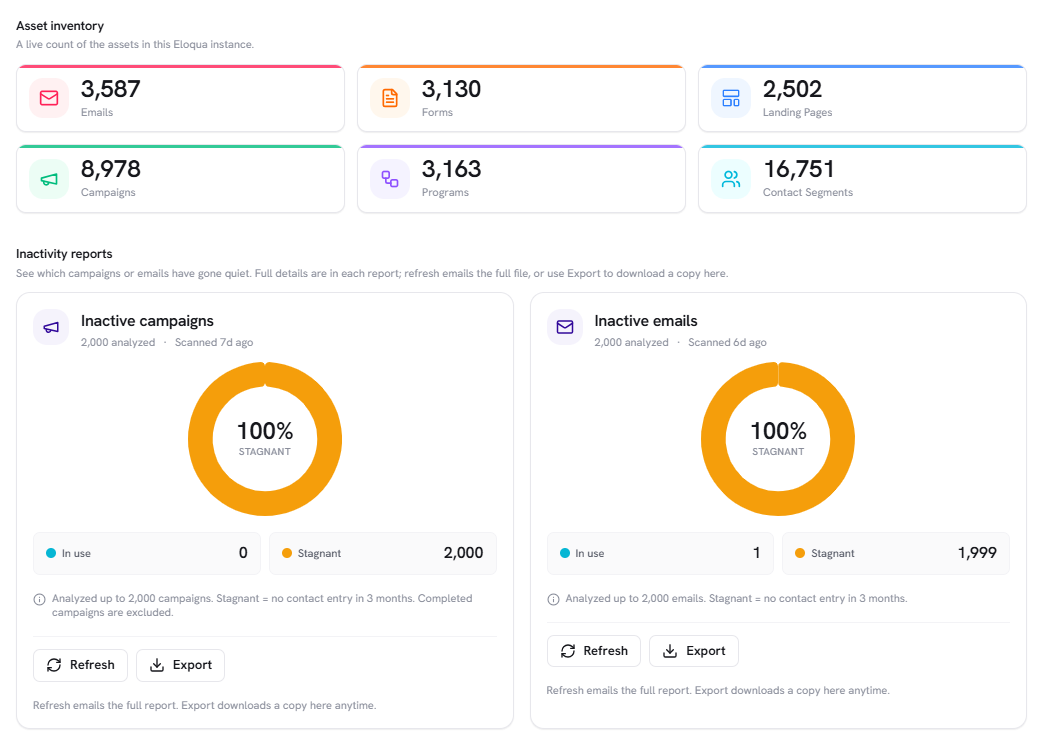
Workbench dashboard with live asset inventory counts and inactivity reports for campaigns and emails.

Eloqua APIs

Instead of exporting to a spreadsheet and filtering there.

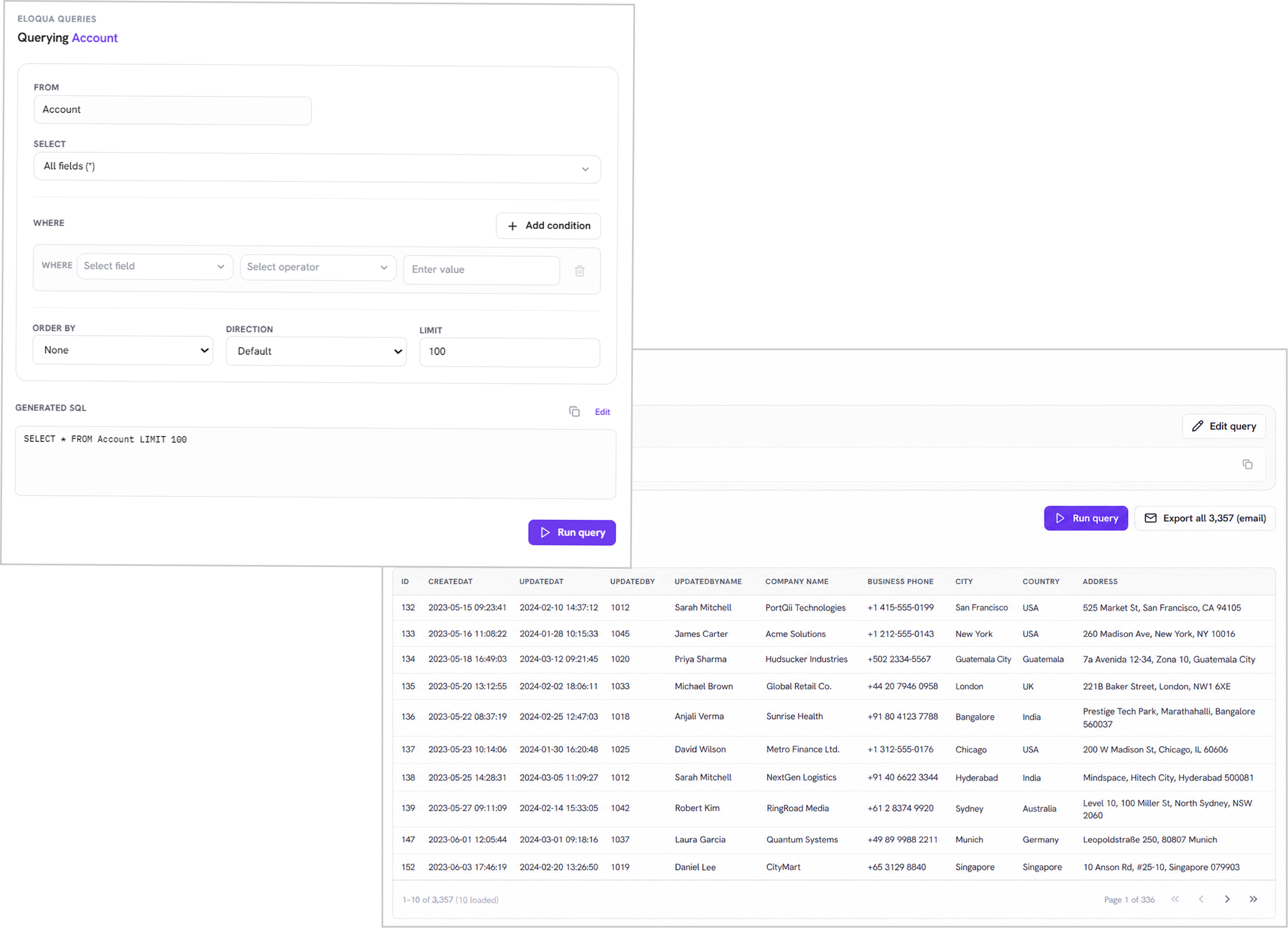
  • Query accounts, contacts, and custom object data against the live instance
  • Add WHERE conditions with field, operator, and value, plus ORDER BY, DIRECTION, and LIMIT
  • Review or edit the generated SQL, then run it
  • Results come back filterable and paginated, with full export
  • From a row: edit or delete the record, view dependencies, or view child assets
Eloqua Queries: Account query builder with FROM, SELECT, and WHERE, plus results you can page through and export.

System Audit

Instead of assembling an inventory spreadsheet by hand every quarter.

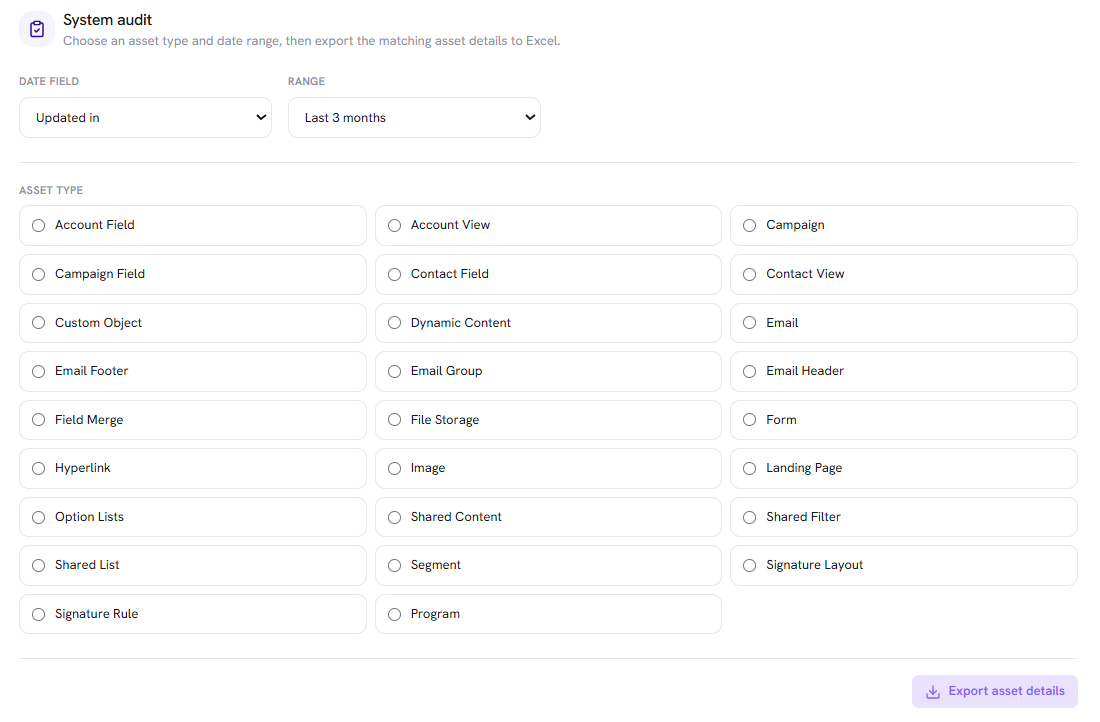
  • Choose an asset type: campaign, email, form, landing page, segment, program, and more
  • Filter by date type and period, for example updated in the last 3 months
  • Export asset details straight from the live instance
System audit screen with Updated in last 3 months, an asset type list, and Export asset details.

Data Dictionary

Instead of clicking through field settings in Eloqua, or asking support for a schema.

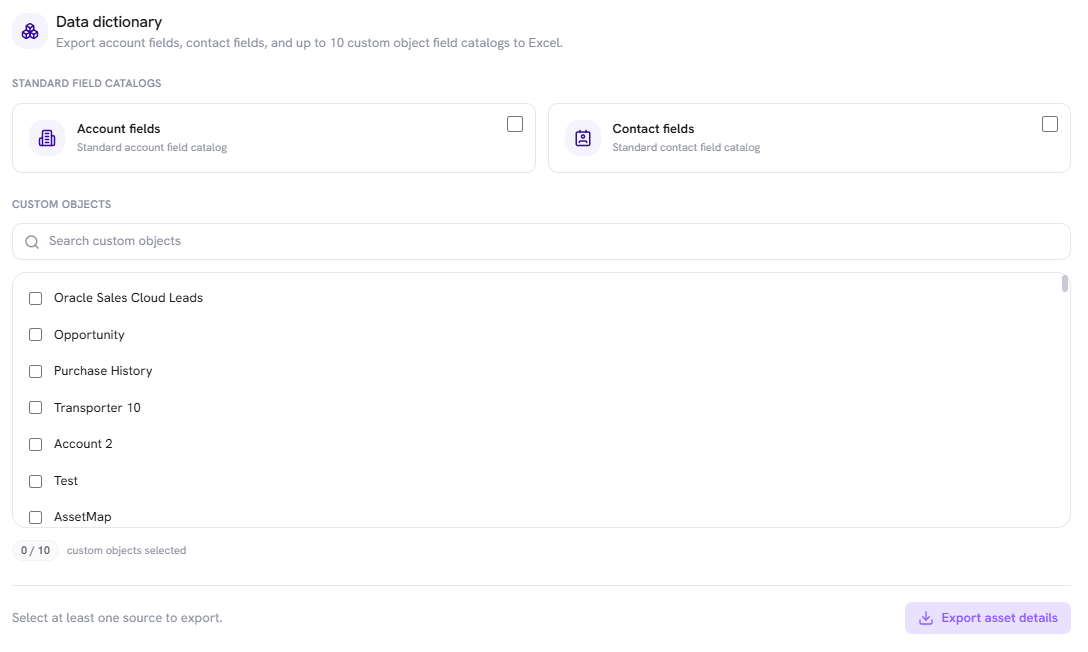
  • Export account field and contact field definitions and data structure
  • Search and include custom objects, up to ten per export
  • Download it so the team can document fields without opening Eloqua
Data dictionary with Account fields, Contact fields, searchable custom objects, and Export asset details.

Create Folders

Instead of creating folders one at a time in the Eloqua interface.

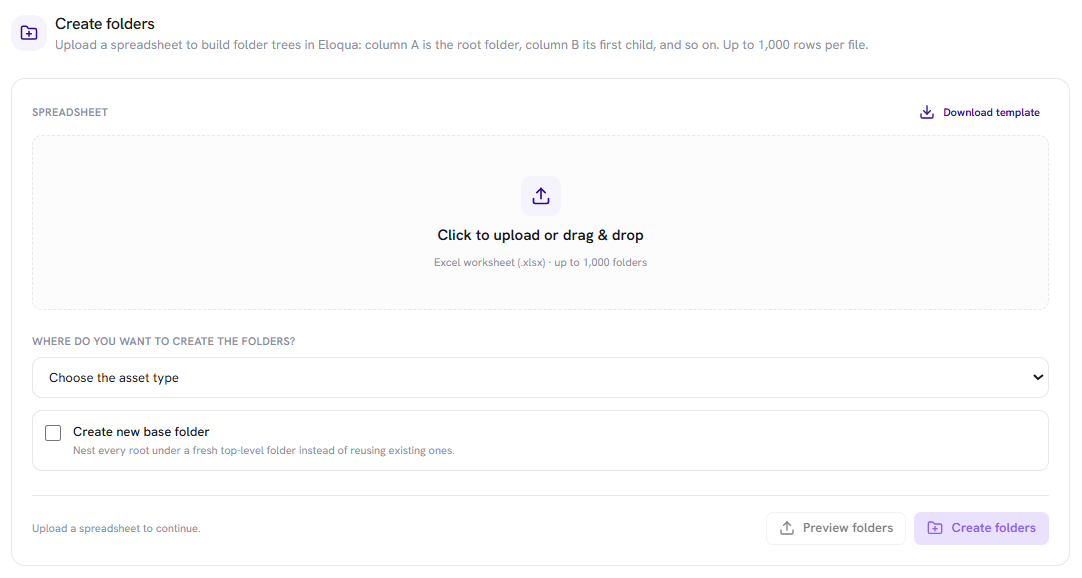
  • Upload an .xlsx file, up to 1,000 folders per upload
  • Download the spreadsheet template, then choose where folders go
  • Optionally create a new base folder first, then run it
Create folders screen with spreadsheet upload, template download, Preview folders, and Create folders.

What Workbench touches, and what it does not

Workbench connects to a production instance and some actions write back. Here is the honest version.

Which actions read, and which write?

Dashboard, System Audit, Data Dictionary, and running a query all read from your live instance and change nothing. View dependencies and view child assets are read-only. From a query result row, edit and delete write back to Eloqua. Create Folders creates new folders from your spreadsheet. Workbench does not keep a copy of your Eloqua data.

Is there a confirmation step before a delete?

Delete from a query result writes back to Eloqua. Treat it as a production change. Workbench does not keep a copy of the deleted record, so recover it in Eloqua if you need it back.

What permissions and OAuth scopes does Workbench request?

Workbench authenticates against your own Oracle Eloqua instance and talks to Eloqua on your behalf, in-session. It uses the connection you make in Agent Studio. It does not keep a copy of your Eloqua data or credentials.

Where does the session token live, and for how long?

Workbench reads and writes against your instance in-session. Nothing is retained. It does not store user data or credentials.

Can we connect a sandbox instance first?

Yes. Connect whichever Oracle Eloqua instance you authenticate against, including a sandbox if your team has one.

Is Workbench an official Oracle product?

No. Eloqua Workbench is built by PortQii, an Oracle Eloqua technology partner. It is not an official Oracle product and is not supported by Oracle.

FAQ

Eloqua Workbench questions

What can I query in Eloqua APIs, and what can I do with the results?

Query accounts, contacts, and custom object data, plus metadata such as campaigns, emails, forms, segments, and programs. Add WHERE conditions with field, operator, and value, plus ORDER BY, DIRECTION, and LIMIT. You can edit the generated SQL, then run it. Results open in a filterable table you can page through and export. From a row you can edit or delete the record, view dependencies for the selected asset, or view child assets for the selected parent.

How do I export an asset inventory from Eloqua?

Open System Audit, choose an asset type such as campaign, email, form, landing page, segment, or program, set a date field and range such as updated in the last three months, then export asset details. The inventory is pulled from your live instance instead of being assembled by hand.

What does Data Dictionary export, and can I include custom objects?

It exports account field and contact field definitions and data structure from your instance. You can search and include custom objects, up to ten per export, then download the file so teams can document fields without clicking through Eloqua.

How do I create Eloqua folders in bulk, and what is the limit?

In Create Folders, download the Excel template, fill it in, and upload an .xlsx file. You can create up to 1,000 folders per upload. Choose the asset type, optionally create a new base folder, then run it.

Is Workbench really free, and what is the catch?

Workbench is free. It is part of Agent Studio, which also includes the Import Leads agent free with 100 one-time credits and one connection. The paid agents (QA, data quality, daily audit, calendar, naming, and the governance set) are what Agent Studio charges for.

Do I need Agent Studio to use Workbench?

Yes. Workbench now lives inside Agent Studio, so you sign in there. Everything you used before is in the same place, at the same price, which is nothing.

Ready to look inside your instance?

Use Workbench to explore your Eloqua instance and identify campaigns, forms, emails, and other assets that may no longer serve a purpose. When you find clutter worth removing, you do not have to trace every dependency by hand or risk breaking something that is still in use.

We can help map what those assets affect, resolve the dependencies around them, and prepare the cleanup for your review before anything changes in your live instance.

Questions: support@portqii.com